For iPhone, iPad and Mac · Optional Apple Watch companion
Every term,
explained.
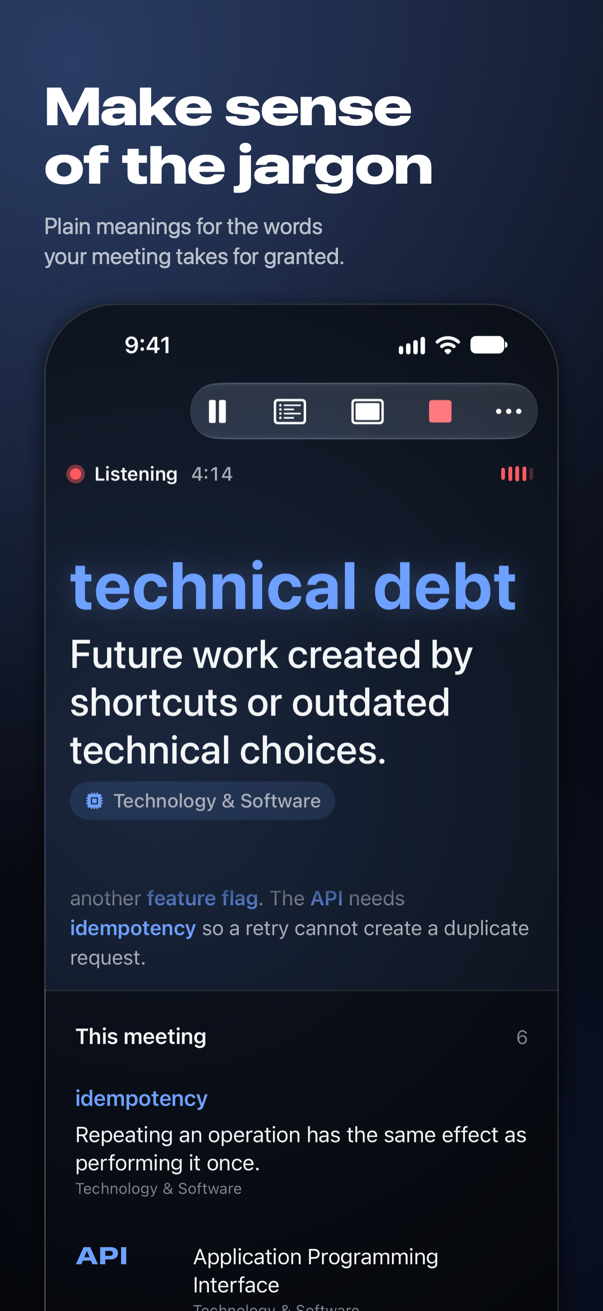
Acronyms, jargon, and team knowledge, explained as you hear them.
When someone says “technical debt” or mentions “Atlas,” see what it means without interrupting. Choose your fields, add the context your team needs, and let Acronymer follow along.
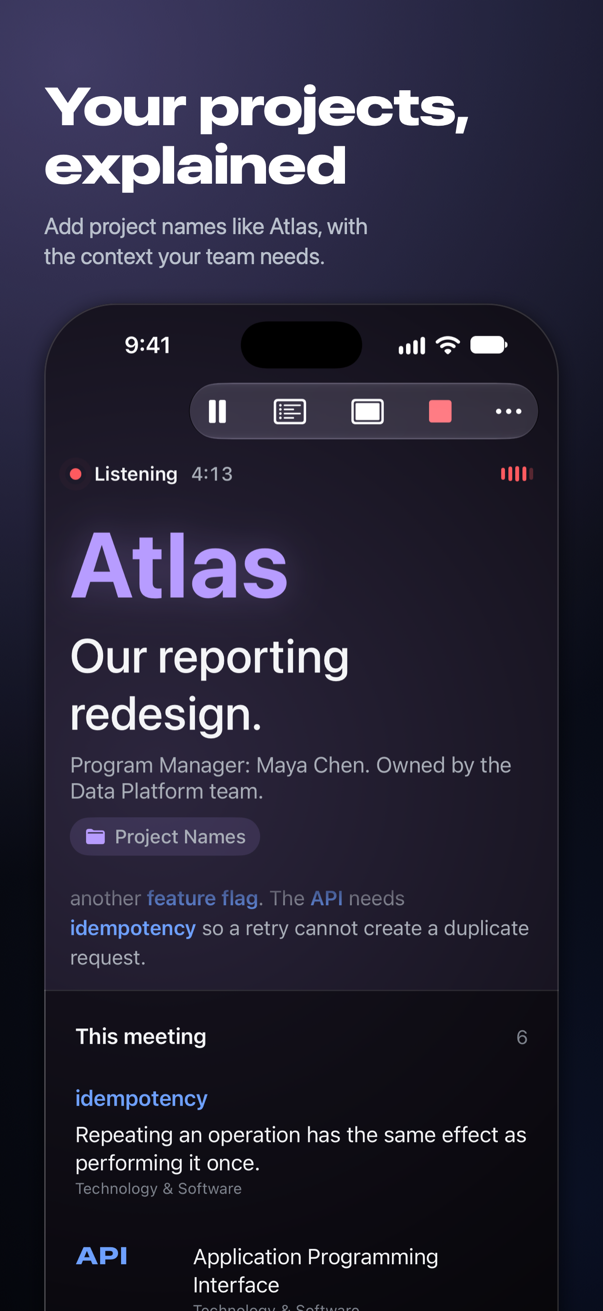
Your projects, explained.
Create a Project Names field for your company. Add a project’s name, what it does, and the people responsible. When it comes up in a meeting, that context appears on screen.
Atlas
Our reporting redesign.
Program Manager: Maya Chen.
Owned by the Data Platform team.
Use entry types such as acronym, jargon, project, team or name, or define your own. Add aliases and optional pronunciation spellings to match how a term appears in captions.
Try the sample CSV · Or import JSON
Atlas and its team are fictional examples. Your company’s facts come from the library you add or import.
From everyday jargon to your team’s language.
Start with more than 1,800 terms across 14 fields, including technology, healthcare, finance and project management. Add your own fields, rank their priority, or import a shared CSV or JSON glossary.
A glossary you can keep.
Terms collect as people talk. Tap one to show its meaning again, or use Focus to give it the screen. End the meeting to save its glossary, ready to share as text or CSV.
If a name has more than one meaning, Acronymer can use nearby words to narrow it down. Unresolved choices are marked as possible meanings for you to confirm.
With Apple Watch, follow confirmed meanings at a glance and mark familiar terms as “I know this.” Start listening on iPhone, then lock it and keep following on your wrist.
Private by design.
Speech recognition and term matching happen on your device. No account, no ads, and no audio recordings or meeting uploads. Saved glossaries retain short first-mention excerpts; full transcripts are not saved.
An optional on-device decision model can help choose between meanings. After any needed speech-model setup and optional model download, listening works offline.
A little help
Questions? support@ramifystudios.com